





 3D Composites
 3M
3M Aerovac
 BGF Industries
 Cabot
Cabot CCS
CCS Cerex
Cerex Dexmet Corporation
 Fibertec
 H.B. Fuller
 Henkel
 Hexcel
 Hill Industries
 Huntsman
 Insul-Fab
 Isovolta Group
 ITW Polymers
 JPS Composite Materials
 Sensitech
 Solvay
 Adhesive Coatings
 Contact Adhesives
 Core Splice Adhesives
 Film Adhesives
 Foaming Adhesives
 Structural Adhesives
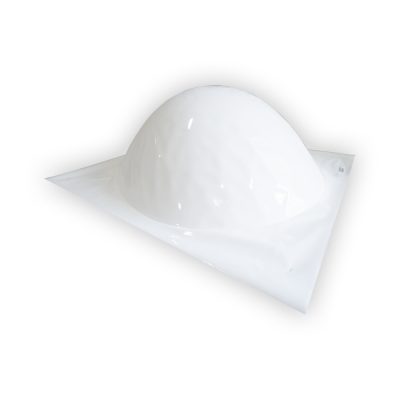 Polyurethane Protective Boots
 Bagging Film
 Breather/Bleeder Cloth
 Parting Film
 Peel Ply
 Release Fabric
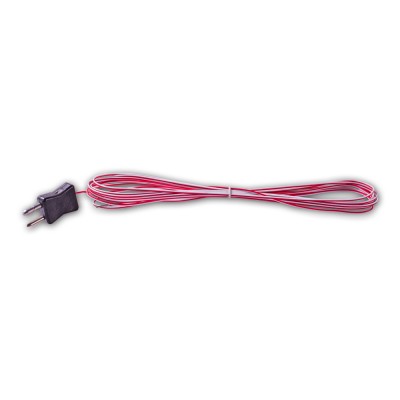 Wire Systems
 Fiberglass
 Graphite
 Kevlar
 Positioning Fabrics
 Metallic
 Non-Metallic
 Aluminum Foil
 Expanded Metal Foil
 Pre-Primed Aluminum
 Airpreg
 Graphite
 Kevlar
 Corrosion Inhibiting Primer
 2 Part Resin Systems
 2 Part Sealants
 Compound Filler
 Release Agents
 Surface Pre-Treatment
 Flame Retardant Tapes
 Flash Tape
 Foam Tape
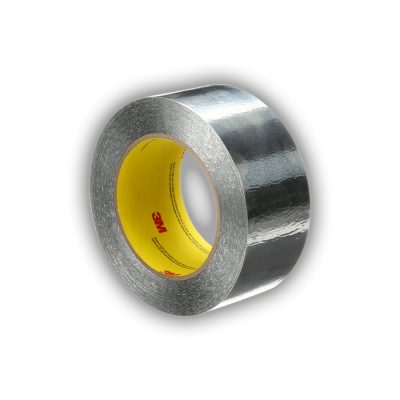 Foil Tapes
 Sealant Tape
 Vinyl Tapes
80 Frp Apps Waqas Mobile High Quality
The Ultimate Guide to 80+ FRP Apps by Waqas Mobile: High-Quality Solutions for 2026
If you’ve ever performed a factory reset on your Android device only to find yourself locked out by a Google account verification screen, you’ve encountered Factory Reset Protection (FRP). For many users, particularly those who have forgotten their credentials, Waqas Mobile has become a primary resource for high-quality tools and methods to regain access to their smartphones.
This article explores the extensive collection of over 80 FRP bypass apps and tools popularized by Waqas Mobile, detailing how they work and which ones are essential for modern Android versions like Android 15 and 16. What is Factory Reset Protection (FRP)?
FRP is a security feature designed to prevent unauthorized access after a device is reset in an untrusted environment, such as via recovery mode. While effective against theft, it can be a major hurdle for legitimate owners who lose access to their Google ID. Top High-Quality FRP Apps from Waqas Mobile
The "80 apps" collection curated by Waqas Mobile includes a mix of APKs and PC-based tools tailored for different manufacturers and security patch levels.
Samsung FRP Bypass Tool (2026 Edition): One of the most sought-after tools, this updated utility is designed to handle FRP locks on Samsung devices running the latest Android 15 and 16 versions.
Google Account Manager APKs: Versions ranging from Android 5.0 to the latest releases are vital for tricking the system into accepting new credentials.
QuickShortcutMaker: A classic high-quality app used to navigate hidden settings menus that are otherwise inaccessible during the setup wizard.
Technocare APK: Often used in tandem with other tools to bypass the account verification step on older security patches.
Apex Launcher: Used to gain access to the device's home screen, allowing users to enter the settings menu and disable security services. Why Choose Waqas Mobile Tools?
Users frequently turn to Waqas Mobile's official channel because the solutions are:
Tested and Verified: Videos often show the complete step-by-step process, proving the method works on specific models like the Infinix Hot 10 or Samsung A-series.
No PC Options: Many of the 80+ methods are "No PC" solutions, relying solely on APK installations and manual settings tweaks.
Regular Updates: As of mid-2026, Waqas Mobile continues to release fixes for the "YouTube Update" problem and other common roadblocks. Essential Safety and Legal Considerations 80 frp apps waqas mobile high quality
While these tools are invaluable for legitimate recovery, users must keep the following in mind:
Android Factory Reset Protection (FRP) - Datalogic Developer Portal
The Ultimate Guide to "80 FRP Apps" and Waqas Mobile Solutions
Getting locked out of your Android device due to Factory Reset Protection (FRP) can be a major headache. If you've been searching for "80 frp apps waqas mobile high quality," you likely need a reliable, high-quality solution to regain access to your phone.
This guide breaks down why Waqas Mobile is a trusted name in the mobile software community and provides a look at the top apps and tools used to bypass FRP locks on modern Android versions. What is Waqas Mobile?
Waqas Mobile is a popular tech resource and YouTube channel specializing in mobile software solutions. They are well-known for providing:
Step-by-step tutorials: Detailed video guides for bypassing FRP on brands like Samsung, Infinix, and Huawei.
Verified APK downloads: High-quality links to essential bypass tools through their official website.
Community support: A dedicated platform for users to find fixes for "App Not Installed" errors or specific security patch updates. Essential FRP Bypass Apps and Tools
The "80 apps" mentioned in your search often refer to a comprehensive toolkit of APKs designed to handle different Android versions and security patches. Below are the most critical high-quality tools you'll find in these collections: 1. Professional Software Tools
For a more stable and high-quality experience, many technicians prefer desktop software:
Wondershare Dr.Fone: A premium, one-stop mobile solution that can bypass Samsung and Xiaomi FRP locks.
UnlockGo for Android: A powerful all-in-one unlocker known for disabling FRP without needing Google Account details. The Ultimate Guide to 80+ FRP Apps by
Odin Tool: The standard for Samsung users to flash firmware or custom recovery files to remove locks. 2. Popular FRP Bypass APKs
If you are performing a bypass directly on the device, these APKs are essential:
Google Account Manager (GAM): Versions 5.0 through 11.0 are used to "downgrade" the account verification process.
QuickShortcutMaker: Helps you navigate to hidden "Type Email and Password" activities within the system.
FRP Bypass APK: A lightweight app that opens the browser for direct account sign-in.
Technocare APK: Often used for older Android versions to trick the system into accepting a new Google account. Why High-Quality Tools Matter
Using low-quality or untrusted APKs can lead to significant risks:
Security Risks: Untrusted APKs may contain malware that compromises your personal data.
Device Damage: Incorrectly flashing firmware can "brick" your device, making it completely unusable.
Warranty Issues: Most bypass methods will void your manufacturer's warranty.
Pro Tip: Always attempt to remove your Google account through the official Settings > Accounts menu before performing a factory reset to avoid the FRP lock entirely. Important Legal & Safety Notice
Bypassing FRP on a device you do not own is illegal. These tools and tutorials from creators like Waqas Mobile are intended for educational purposes and to help users who have forgotten their own credentials.
Getting stuck on a Google Factory Reset Protection (FRP) lock is a modern-day headache, especially if you’ve forgotten your credentials after a hard reset. If you’re looking for the 8.0 FRP bypass solutions often discussed by creators like Waqas Mobile Target: Transsion Holdings devices
, here is a breakdown of why these tools are the "skeleton keys" for Android Oreo. 🔓 Why the 8.0 Update Changed the Game
Android 8.0 (Oreo) introduced tighter security patches, making older "shortcut" methods obsolete. The tools featured by Waqas Mobile are specifically curated to bypass these layers without needing a high-end PC or expensive professional boxes. 🛠 The Essential FRP Toolkit (Android 8.x)
To get past the "Verify your account" screen, tech enthusiasts usually lean on these specific APKs: Google Account Manager (GAM) 8.0:
This is the foundation. It replaces the existing account management system with a version that allows for a "Browser Sign-in." FRP_Bypass.apk:
The classic one-click tool. Once GAM is installed, this app triggers the hidden Google login page where you can enter any fresh Gmail account. Apex or Nova Launcher:
Often used as an entry point to get into the phone’s settings menu when the standard UI is locked down. Technocare APK:
A powerhouse for older 8.0 patches that tricks the system into thinking a new developer account is being registered. 📱 How the Process Generally Works The Entry:
Use a "Talkback" exploit or a Bluetooth keyboard to reach the Chrome browser. The Download:
Visit a trusted mirror (like the one hosted by Waqas Mobile) to grab the 8.0 GAM and the Bypass APK. The Switch:
Install GAM first, then the Bypass tool. Use the "Browser Sign-in" option to add your own email. The Finish: Restart the device. The setup wizard will now say "Account Added," and you’re back in business! ⚠️ Pro Tip:
I have interpreted this as a tech tutorial blog post targeting users looking for a collection of FRP bypass tools, specifically those attributed to a developer named "Waqas Mobile."
3. Test Point Helper (Tecno & Itel)
- Target: Transsion Holdings devices.
- Method: Creates a virtual test point via software, avoiding physical disassembly.
- Quality mark: Includes video tutorials for manual mode.
Step 3: Install Drivers First
- Most collections have a folder named
00_Drivers_Install_First. Install all prerequisites (USBDeview, MTK Drivers, etc.).
5. Aroma FRP Bypasser
- Target: OnePlus and Nokia.
- Method: Uses a fake OTA (Over-The-Air) update screen.
- Quality mark: Works even with locked bootloaders.
Why "High Quality" Matters: The Risks of Low-Quality FRP Tools
Not all FRP packs are created equal. Using unverified, low-quality APKs can lead to:
| Risk | Low-Quality Tool | Waqas Mobile High Quality | | :--- | :--- | :--- | | Malware | Contains data-stealing trojans. | Scanned with 10+ antivirus engines. | | Bricking | Modifies system partitions incorrectly. | Only uses safe, reversible exploits. | | Outdated | Tries Android 7 methods on Android 14. | Regularly updated for new patches. | | Hidden Costs | Asks for "activation fee" mid-process. | 100% free APKs. | | IMEI Damage | Wipes baseband (no signal). | Never touches IMEI or modem partition. |
The "Waqas Mobile" stamp guarantees that each APK has been user-tested on over 1,000 devices before inclusion in the 80-pack.
9. Samsung FRP Ultimate V2
- Target: Samsung One UI 3.1 to 5.0.
- Method: Combines the "Add network" glitch with a Calendar sync exploit.
- Quality mark: Works on USA carrier-locked models (Verizon, T-Mobile).