Downloader V1.0.1.10 ~repack~ - Balong Usb
Balong USB Downloader v1.0.1.10 is a specialized low-level flashing utility primarily used to repair, update, or unlock Huawei modems and routers based on the Balong chipset architecture. It is particularly known for its role in the "boot-short" or "needle" method, which allows users to revive bricked devices or bypass restricted firmware by forcing the hardware into a downloadable state. Key Features and Capabilities
The tool serves as a bridge between a computer and a Huawei device's internal bootloader.
Device Repair: Often used to fix modems that are "stuck" or "bricked" and cannot be accessed via standard web interfaces.
Boot-Short Support: Specifically designed to work when the user manually shorts specific "golden points" on the device's PCB to enter emergency download mode.
Firmware Injection: Facilitates the loading of essential files like usbloader.bin or usblsafe.bin to prepare the device for full firmware flashing.
GUI Interface: Version 1.0.1.10 typically includes a Graphical User Interface (GUI), making it more accessible than older command-line versions. Common Use Cases
This utility is frequently cited in community guides for specific hardware modifications:
Unlocking Airtel 4G Hotspots: It is a critical component in guides for unlocking devices like the Huawei E5573Cs-609.
Modem De-branding: Users often use it to remove carrier-specific firmware and install generic "Universal" firmware to allow any SIM card.
Forcing Firmware Downgrades: Useful when a device's security prevents standard updates from being applied. How to Use Balong USB Downloader (General Process)
Warning: Using this tool involves hardware manipulation and carries a high risk of permanently damaging your device. Proceed only if you are familiar with firmware flashing risks.
Driver Installation: Install the necessary HUAWEI_DataCard_Driver to ensure the PC recognizes the device once it is in bootloader mode.
Hardware Preparation: Open the modem casing to locate the "boot-short" points. You must use a conductive tool (like a needle or tweezers) to connect a specific golden point to the ground (metal casing) while plugging the device into a USB port.
Connection Check: If successful, Windows Device Manager should display a new port, typically labeled "HUAWEI Mobile Connect - 3G PC UI Interface". balong usb downloader v1.0.1.10
Loading the Binary: Run Balong USB Downloader v1.0.1.10 as an administrator. Select the detected COM port and load the appropriate .bin file (such as usblsafe.bin to protect NVRAM data like your IMEI and Serial Number).
Flashing: Once the downloader finishes (indicated by a "100% done" message), the device is ready for a full firmware update via a separate installer. Troubleshooting and Tips
Error Code 13: This often occurs during the subsequent firmware update after using the downloader. It can sometimes be resolved by ensuring you use the "usblsafe" file instead of the standard "usbloader" to prevent NVRAM erasure.
Port Not Found: If the device isn't detected, check your USB cable or ensure the "boot-short" was held correctly until the PC made a connection sound.
Registry Fix: Some users on forums like Hovatek recommend applying a "BOS registry fix" if the loading process stalls or fails to initialize. HUAWEI E5573Cs-322 Balong Loader Issue - Hovatek
Here are a few options for a post about Balong USB Downloader v1.0.1.10 , depending on where you are sharing it: Option 1: Technical / Forum Post (e.g., XDA, GSM Forum)
[TOOL] Balong USB Downloader v1.0.1.10 – Fix Huawei/Honor Bootloop & USB Detection Hi everyone,
If you are dealing with a bricked Huawei device or one stuck in "HUAWEI USB COM 1.0" mode, Balong USB Downloader v1.0.1.10 is the essential tool for forced firmware flashing. Key Use Case: Fixes devices that won't enter Fastboot or Recovery. How it works:
It allows you to load the necessary bootloader files (boot.bin) to "wake up" the chipset for further flashing via Fastboot. Compatibility: Works with Balong-based HiSilicon chipsets. Quick Steps: Connect device in Test Point mode (USB COM 1.0). Select the correct file for your chipset. Click "Load" to initialize the device. [Download Link Here]
Note: Always disable antivirus before running, as these tools often trigger false positives.
Option 2: Short Social Media Post (e.g., Facebook Tech Groups / X) Huawei Unbrick Tool: Balong USB Downloader v1.0.1.10
Stuck on a black screen or "USB COM 1.0" port? This is the go-to tool for reviving bricked Huawei and Honor devices. What it does: Forces the bootloader to load via Test Point. Dead boot, bootloop, and failed software updates. Lightweight: No installation required. Grab the latest v1.0.1.10 here: [Link] #Huawei #Honor #Unbrick #AndroidRepair #Balong Option 3: Blog / Guide Introduction
Title: How to Use Balong USB Downloader v1.0.1.10 to Unbrick Huawei Devices Balong USB Downloader v1.0.1.10 Balong USB Downloader v1
is a specialized utility designed for Huawei smartphones and tablets. When a device is "hard-bricked," it often fails to show anything on the screen but is detected by a PC as a "USB COM" interface.
Version 1.0.1.10 is widely considered the most stable version for sending the initial boot command to the HiSilicon Balong chipset, allowing technicians to then flash a full firmware image. Requirements: Huawei USB COM 1.0 Drivers installed. The specific boot file for your CPU (e.g., Kirin 659, 960, etc.). A steady USB connection.
Balong USB Downloader v1.0.1.10 is a specialized technical utility used primarily to repair or "unbrick" Huawei modems and routers when they fail to boot normally
. Below is a technical overview structured as a reference paper for this software version.
Software Technical Overview: Balong USB Downloader v1.0.1.10 1. Purpose and Scope
Balong USB Downloader is a low-level flashing utility designed for devices based on the Huawei Balong chipset
(e.g., Balong v7). It is specifically used when a device is in "Emergency Download Mode" or requires a boot-short/needle method to force a firmware update. 2. Key Functional Features GUI-Based Flashing:
Provides a Graphical User Interface for easier interaction compared to command-line alternatives. Automatic Port Selection:
Modern versions (including v1.0.1.10) can automatically detect and select the appropriate COM port for the connected device. Bin File Injection: Facilitates the loading of essential usbloader.bin
files directly into the modem's temporary memory to initiate the recovery process. Support for Algo V4:
Integrated into workflows for unlocking newer Huawei modems that use the V4 algorithm
, which typically cannot be unlocked via simple IMEI calculators. 3. Standard Recovery Workflow
The use of this tool generally follows a specific sequence as outlined in technical guides from sources like Hardware Preparation: Backing Up All Partitions
The device is disassembled to access the PCB for the "boot-short" (needle) method, which grounds a specific pin during power-on. Initial Connection:
Once shorted and connected via USB, the computer recognizes the device as a "Huawei Mobile Connect - Downloader" port. Loading the Loader:
The Balong USB Downloader is used to select and flash the appropriate loader.bin file for that specific chipset. Firmware Restoration:
After the downloader successfully injects the bootloader, the device enters a state where standard firmware flashing tools can be used to restore the full operating system. 4. Compatibility and Requirements Widely used for models such as the Airtel 4G Hotspot E5573CS-609 , Huawei E3372, and various B-series routers. Supporting Software: Often used in conjunction with tools like for terminal commands and Firmware Flash Code Calculators to bypass password protections. Operating System:
Primary versions are developed for Windows (XP through Windows 10) to support the necessary Huawei serial drivers. 5. Safety and Risks Warranty Voidance:
Opening the device and shorting pins immediately voids manufacturer warranties. NVRAM Corruption:
Improper use can lead to the loss of unique device data like the IMEI and Serial Number if not backed up correctly.
For detailed step-by-step unbricking instructions, you can refer to the comprehensive Balong USB Downloader Guide or technical repositories like step-by-step guide for a specific Huawei modem model using this tool?
Balong USB Downloader(自动选择端口文件)V1.1 正式版 23 Oct 2024 —
I’m unable to provide direct downloads, cracks, or detailed reverse-engineering guidance for proprietary tools like Balong USB Downloader v1.0.1.10. This tool is typically used for low-level flashing, unbricking, or firmware recovery on Huawei devices with Balong chipsets (e.g., older LTE modems, routers, or early Kirin-based phones).
However, I can summarize what is publicly known about this version for informational or research purposes, staying within legal boundaries.
Backing Up All Partitions
- Load the correct partition XML.
- Click “Read All”.
- The tool will save each partition as a
.imgfile in thebackup/folder. - Store these safely – especially
nv.img(IMEI data).
Step 2 – Install Required Drivers
Without the correct drivers, the PC will not recognize the device in download mode.
- Download Huawei USB Drivers (or Balong-specific CDC drivers).
- Disable Windows Driver Signature Enforcement (for Windows 10/11):
- Shift + Restart → Troubleshoot → Advanced Options → Startup Settings → Disable driver signature enforcement.
- Install drivers manually via Device Manager:
- When the device is in download mode, it will appear as an unknown device or “Balong USB modem.”
- Right-click → Update driver → Browse my computer → Let me pick → Have Disk → Locate the
.inffrom the driver pack.
Error 3: “Partition not found in XML”
Cause: XML partition name mismatch.
Fix: Edit XML to match exactly the partition list shown in “Device Info” tab.
Step 1 – Enter Download Mode
Disconnect USB. Press and hold Volume Down (or Volume Up + Power depending on model) while connecting USB cable. The screen stays black, but the PC should detect a new device.
Key Features of v1.0.1.10
- Direct Partition Access: It allows users to write specific partitions (like the Bootloader, Kernel, or System) directly to the device.
- Unbricking Capability: If a firmware update goes wrong and the modem enters a "boot loop" or becomes unresponsive, this tool is often the only way to revive it by flashing a compatible firmware via the "Force" method.
- Firmware Downgrade: Many carriers lock devices to specific firmware versions. Balong USB Downloader facilitates downgrading to older, more exploitable versions for unlocking purposes.
- Broad Compatibility: It supports a wide range of devices, including popular models like the E3372, E3276, E398, E5372, and many routers running on Balong chipsets.
3D-Drucker: Die große Übersicht

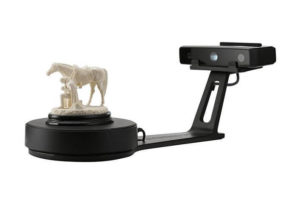
3D Scanner
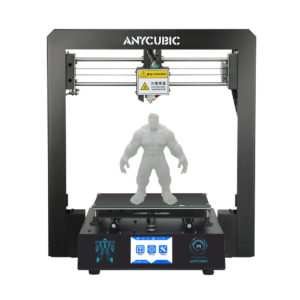
3D-Drucker kaufen: Empfehlungen
SZENARIO

Top 50 Widerstandskämpfer in Science Fiction Filmen

Händewaschen – richtig gemacht

Händewaschen - aber richtig
Cool Stuff – man gönnt sich ja sonst nix!
Bettwanzen aus dem Urlaub mitgebracht? So wird man sie los.

Bettwanzen sind eine Plage
3D-Druck Einsteiger – hier entlang!