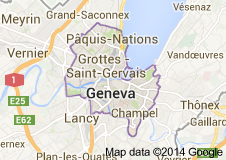
 Genève
 Ginevra
 Ginebra
Wpa Finder Ios Better | Greek
Greek WPA Finder (now often found as GWPA Finder ) is a network recovery tool designed to retrieve default Wi-Fi passwords for specific router brands common in Greece. While it is a popular utility for network security testing, its use on iOS is complicated by Apple’s strict security policies and the ethical implications of password recovery tools. Purpose and Functionality The application works by using default password algorithms employed by Greek internet service providers (ISPs). Target Routers: It primarily targets brands like and other models popular in the Greek market. Core Mechanism:
The app "decodes" or calculates the likely default WPA/WPS key based on the router's SSID or MAC address. Intended Use: Its developers frame it as a security utility
meant to help owners test the vulnerability of their own networks. The iOS Challenge
Finding and using this specific tool on iOS is significantly more difficult than on other platforms like Android or Windows. App Store Restrictions:
Apple generally prohibits third-party apps from performing active Wi-Fi scanning or accessing low-level network data for security reasons. Built-in Alternatives:
iOS users typically rely on built-in features to manage passwords. In Settings > Wi-Fi , you can reveal saved passwords using Face ID or Touch ID. Official Tools: For advanced network analysis, Apple provides the AirPort Utility
on the App Store, which includes a Wi-Fi scanner that must be manually enabled in the device settings. Legal and Ethical Considerations The use of WPA finders falls into a legal "gray area".
While you are asking for it on iOS, it is important to note its current availability and official status:
Official Availability: The app was originally a popular tool for finding default passwords based on a router's SSID (the network name) or MAC address. However, it is not currently available on the official Apple App Store. Apps that perform "key recovery" or "cracking" often violate Apple's security policies.
Android Versions: Versions like GWPA Finder 5.2.7 are more commonly found as APK files for Android devices on third-party hosting sites.
Functionality: It works by using known algorithms for specific Greek ISPs (like OTE, Cyta, and Forthnet) to calculate what the factory-set password likely is. It does not "hack" new, custom passwords; it only finds default ones. Native iOS Alternatives for Managing WPA Keys
If you are looking to find or manage WPA keys on your own device, iOS has built-in features that replace the need for third-party "finder" apps: Greek Wpa Finder Ios
View Saved Passwords: You can see the password for any network you've previously joined by going to Settings > Wi-Fi, tapping the "i" icon next to the network, and then tapping the Password field (requires FaceID/TouchID).
Share Wi-Fi Passwords: If you want to give a WPA key to a friend, simply bring your unlocked iPhone close to theirs while they try to join the network. A Share Password prompt will appear automatically.
Wi-Fi Scanning: For technical details like signal strength or channels, you can use the AirPort Utility app from Apple. You must enable the Wi-Fi Scanner in your iPhone's main Settings menu under "AirPort Utility" first. GWPA Finder 5.2.7 Free Download
Greek WPA Finder (now often referred to as GWPA Finder) is a security utility originally developed by Thanos Fisherman to test the vulnerabilities of Wi-Fi networks in Greece. While it is widely known as an Android APK, its presence and functionality on iOS are more restricted due to Apple's strict sandboxing and hardware access limitations. How It Works
The app does not "hack" passwords in the traditional sense. Instead, it uses mathematical algorithms and known default keys to recover factory-set passwords.
Algorithm-Based: It calculates the default WPA/WPS keys based on a router's SSID (network name) or MAC address.
Target Specificity: It was built specifically for router brands and firmware versions popular among Greek Internet Service Providers (ISPs), such as certain Huawei models.
Security Testing: Its primary purpose is for users to check if their own router is still using a vulnerable default password that should be changed. Greek WPA Finder on iOS
There is no official version of "Greek WPA Finder" on the Apple App Store. This is because:
System Restrictions: iOS prevents third-party apps from accessing the low-level Wi-Fi hardware data (like BSSIDs or MAC addresses) required for these algorithms to function.
App Store Policy: Apple typically rejects apps that perform security-bypassing or password-recovery functions. Alternatives for iOS Users: Greek WPA Finder for Android - Free download Greek WPA Finder (now often found as GWPA
The legend of Greek Wpa Finder for iOS is a nostalgic tale from the early 2010s—a time when the App Store was like the Wild West and "free Wi-Fi" felt like finding buried treasure. The Spark of an Idea
In a bustling café in Athens, a young developer sat frustrated. His data plan was drained, and the "Free Guest Wi-Fi" required a password no one seemed to know. He realized that many default router passwords in Greece followed predictable patterns based on their MAC addresses. With a few lines of code, he turned those patterns into an algorithm. The Viral Rise
He launched Greek Wpa Finder on the iOS App Store. It was simple, gray, and looked like a terminal from a spy movie. Within weeks, it became the "must-have" app for every student and traveler in Greece.
The Magic Moment: You’d open the app, scan the airwaves, and with one tap, it would generate the most likely default key.
The Community: It wasn't just an app; it was a cultural phenomenon. People would brag about "saving" their data plans while sitting in Plateia Syntagmatos or wandering the alleys of Mykonos. The Apple Crackdown
But the glory days couldn't last forever. As Apple tightened its security policies and "sandboxed" its apps, they began to restrict how much hardware info (like WiFi BSSIDs) third-party apps could see. One morning, the developer woke up to a notification: the app had been pulled for violating privacy guidelines. The Legacy
Today, the original app is a ghost—a "dead" icon on old iPhone 4s tucked away in drawers. Routers got smarter, default passwords became random, and 5G made the hunt for Wi-Fi less desperate. Yet, for a specific generation of Greeks, the name "Greek Wpa Finder" still conjures the thrill of that first successful connection and the feeling of outsmarting the system.
You're looking for information on how to find WPA (Wi-Fi Protected Access) passwords or networks on an iOS device, specifically related to Greek Wi-Fi networks. Here are some insights and steps:
1. Instant Glyph Recognition
Point your iPhone camera at any printed or carved Greek letter. The app returns:
- The Unicode character (e.g., U+03A6 for Φ)
- The specific WPA font family (e.g., “Atelier Grec 1923” or “Thessaloniki Bold 1910”)
- The approximate decade of manufacture
5. A Vision Statement
“The Greek WPA Finder iOS is not an app. It is a mobile methodology. It turns every iPhone into a distributed archival instrument, every walk into a survey, every glance into an act of custodianship. It does not aim to replace the archaeologist’s trowel or the historian’s monograph, but to weave them into the daily rhythm of the traveler, the citizen, the dreamer walking a goat path that was once a Roman road. In doing so, it asks us: What if the greatest monument to a culture is not a single museum, but a million attentive eyes?”
Understanding the "Greek WPA Finder" Algorithms
If you are looking for this app specifically to test your own network's vulnerability, you should know how the default password generation works for major Greek ISPs. The Android app exploits these patterns: The Unicode character (e
- Cosmote / OTE (Thomson/Speedtouch Routers): Many older models generated the default WPA key using a mathematical algorithm based on the last 6 characters of the MAC address or the SSID suffix.
- Forthnet: Often used generic default keys or simple variations of the SSID.
- Vodafone / Wind: Newer routers use random generation, making "Finder" apps ineffective. Older models might be vulnerable.
Security Advice:
If you own a router in Greece that still uses the default SSID and Password (e.g., COSMOTE-XXXX or SpeedTouch-XXXX), your network is vulnerable to these calculation tools.
- Log into your router admin panel (usually
192.168.1.1). - Change the SSID (Network Name) to something unique.
- Change the WPA/WPA2 Password to a complex, custom phrase.
This prevents tools like Greek WPA Finder from guessing your password.
Greek WPA Finder (often referred to as GWPA Finder) is a network security tool designed to recover default WPA/WPA2 keys for specific router brands commonly used in Greece. While primarily known as an Android application, its availability and functionality on iOS are more limited due to Apple's strict security policies regarding Wi-Fi scanning. Overview of Greek WPA Finder
The application operates by using default password algorithms used by Greek internet service providers (ISPs).
Primary Function: It helps users test their own network security by attempting to "decode" the factory-set password.
Target Hardware: It is particularly effective for certain router models, such as specific Huawei devices.
Regional Focus: While it was originally intended for use within Greece, it can sometimes work in other territories if the same router models and default algorithms are present. iOS Compatibility & Alternatives
Finding an exact "Greek WPA Finder" on the official Apple App Store can be difficult because Apple restricts third-party apps from performing the type of low-level Wi-Fi scanning required for password recovery algorithms.
Instead, iOS users often turn to similar utility apps or built-in features: WiFi Analyzers on iPhone or iPad (iOS Version)
Unlocking Greece’s Digital Heritage: The Ultimate Guide to Using "Greek WPA Finder iOS"
By [Author Name] – Tech & Archaeology Correspondent
In the sun-drenched landscape of Greek digital innovation, a new tool has quietly revolutionized how researchers, students, and curious travelers interact with the nation’s vast historical archives. For years, accessing the complex catalog of the Hellenic National Documentation Centre (ΕΚΤ) and various university WPA (Works Progress Administration-style) datasets was a chore reserved for desktop computers and academic VPNs.
Enter the Greek WPA Finder iOS—a dedicated mobile application designed specifically for iPhone and iPad users. Whether you are a historian tracing Byzantine trade routes, a student preparing a thesis on Modern Greek history, or a genealogist looking for interwar population records, this app promises to put a world of primary sources into the palm of your hand.
But what exactly is the "Greek WPA Finder," why is its iOS version a game-changer, and how do you master it? This article breaks down everything you need to know.